ReCopied

Meet ReCopied.
The Uncompromising Clipboard & Snippet Manager.

A unified workspace for builders and power users, at home in your menu bar or a resizable window you can keep on top. Everything you've copied, one keystroke away.

One-time purchase. No subscription, no account to create. 100% local by default.

Menu or window

Same app. Wherever you want it.

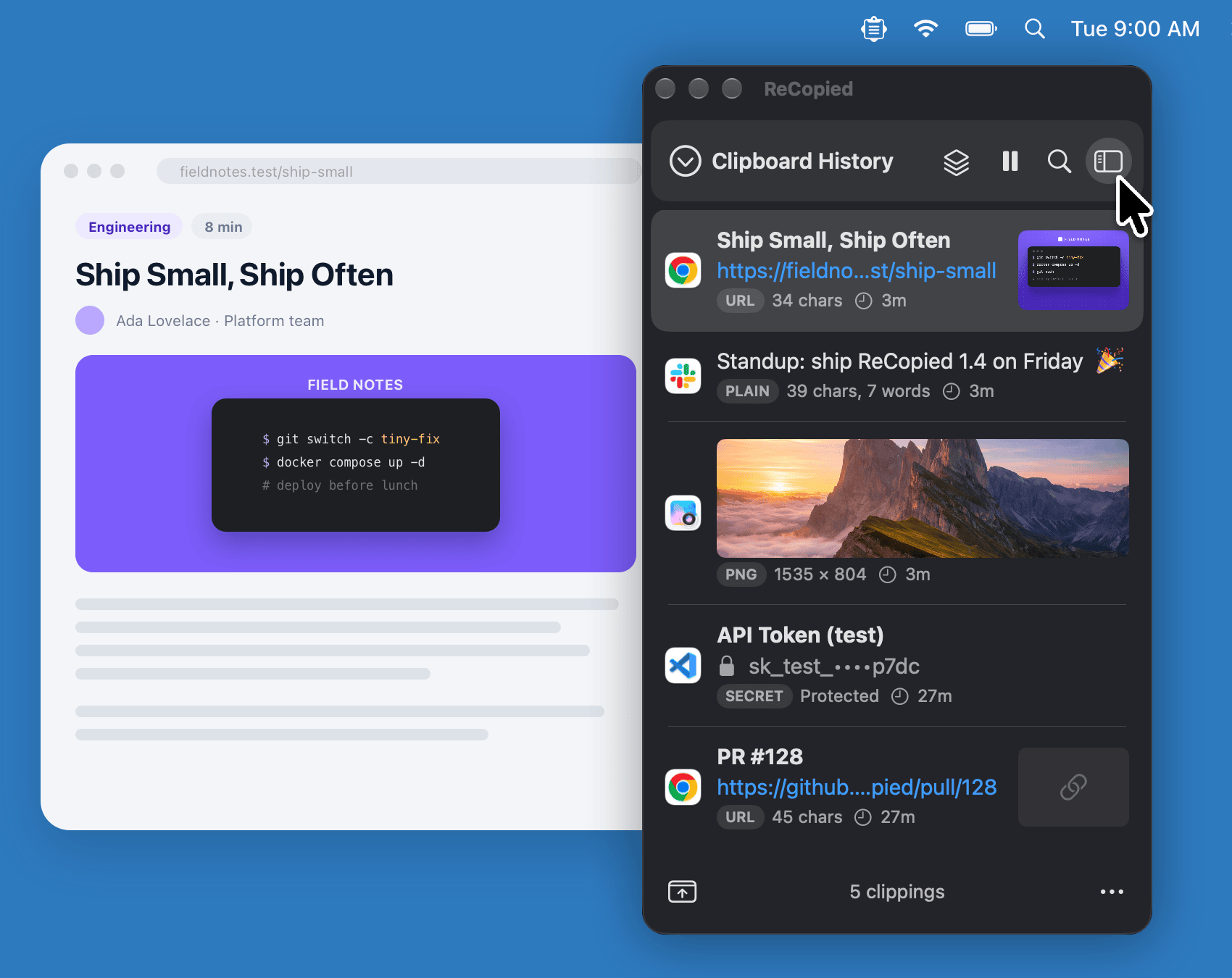
Pop the panel open from the menu bar for a quick paste, or detach it into a window you keep on top. Same clippings, same actions, same shortcuts, nothing hidden in the other mode.

Find it

Find anything. Copy text from a photo.

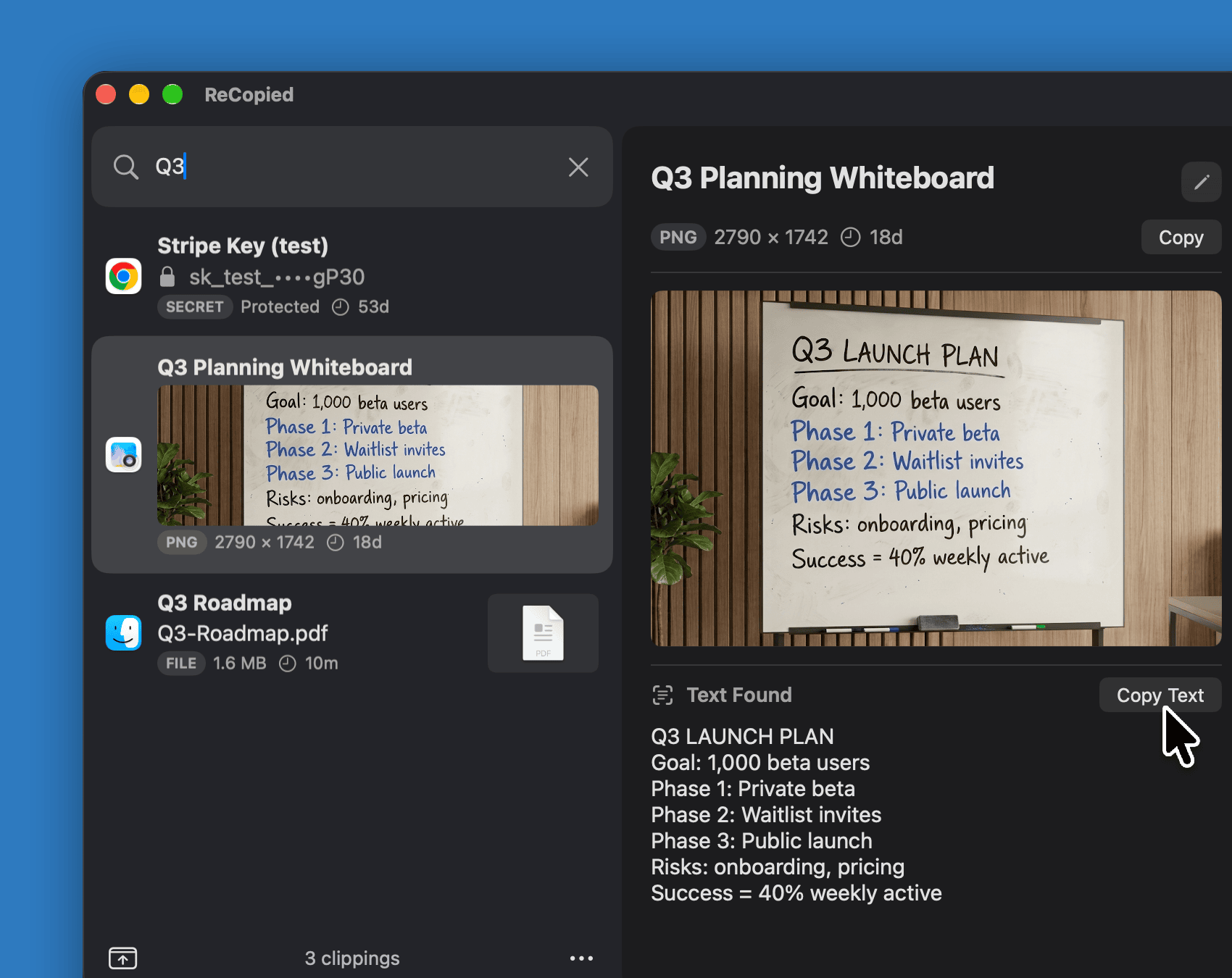
Just start typing to search everything you've copied, or jump between Clip Lists with ⌘1 to ⌘9. Search reaches titles, text, links, and types like file, color, or JSON. Photos show the text they contain, ready to copy.

Reshape it

One copy in. Many pieces out.

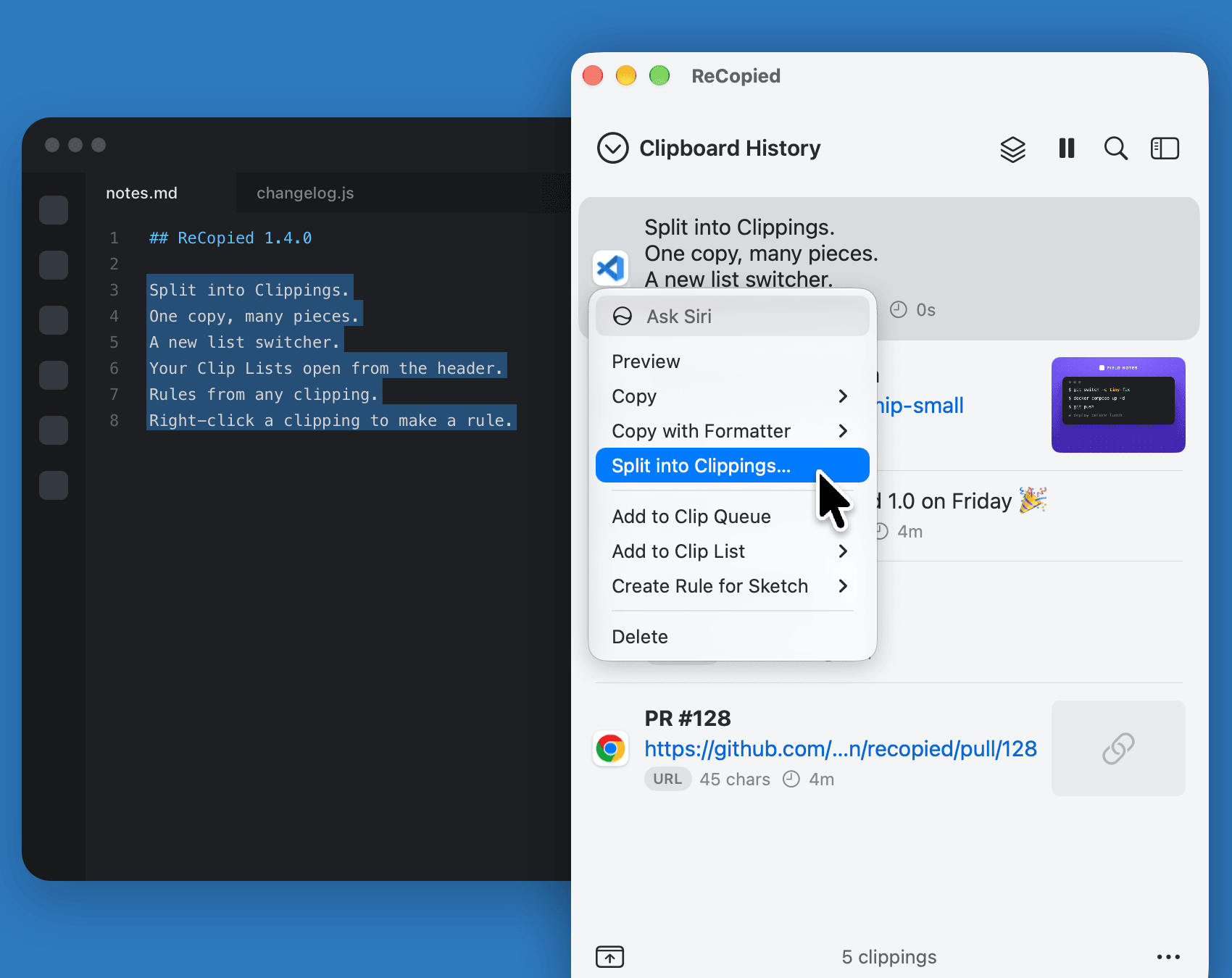
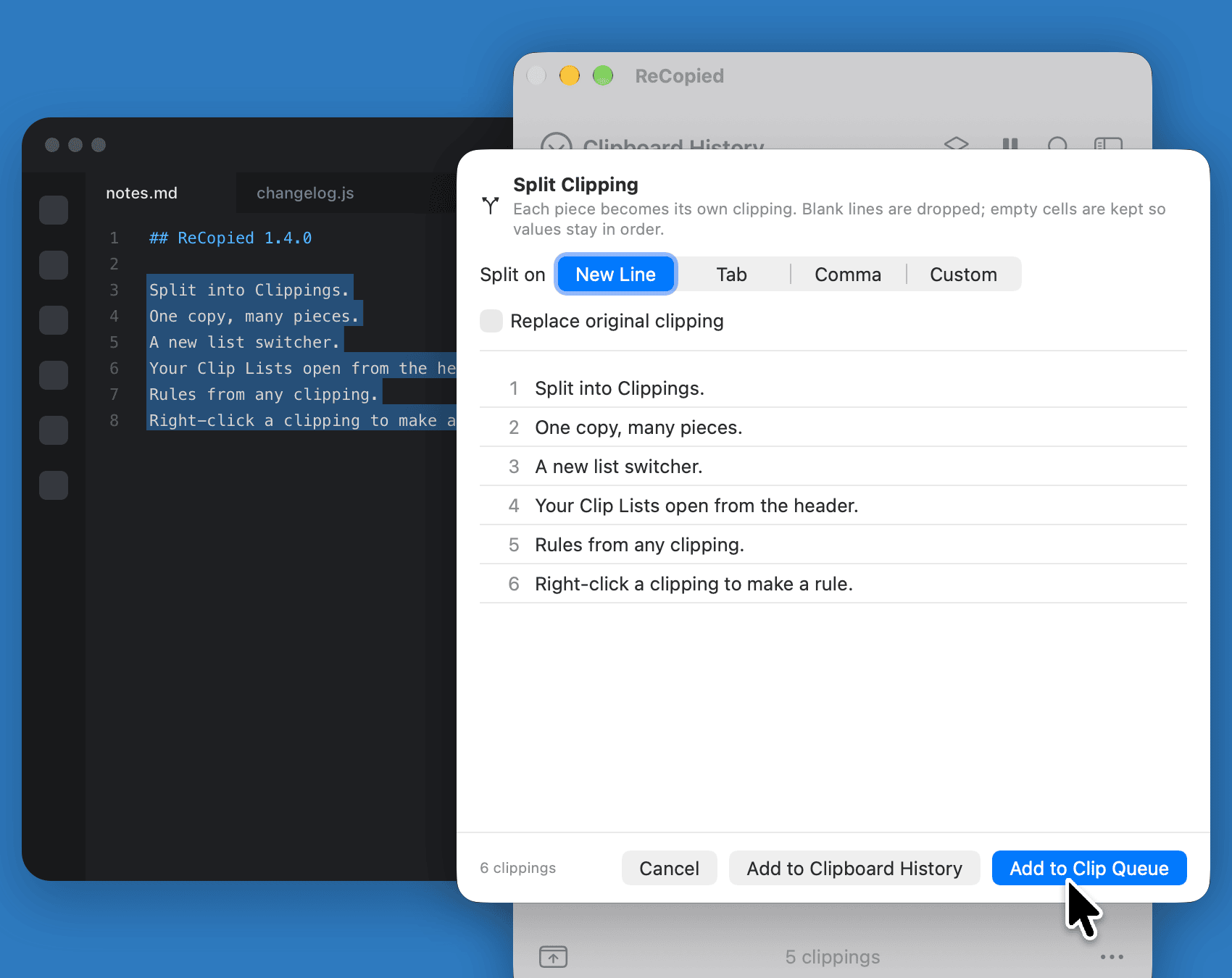
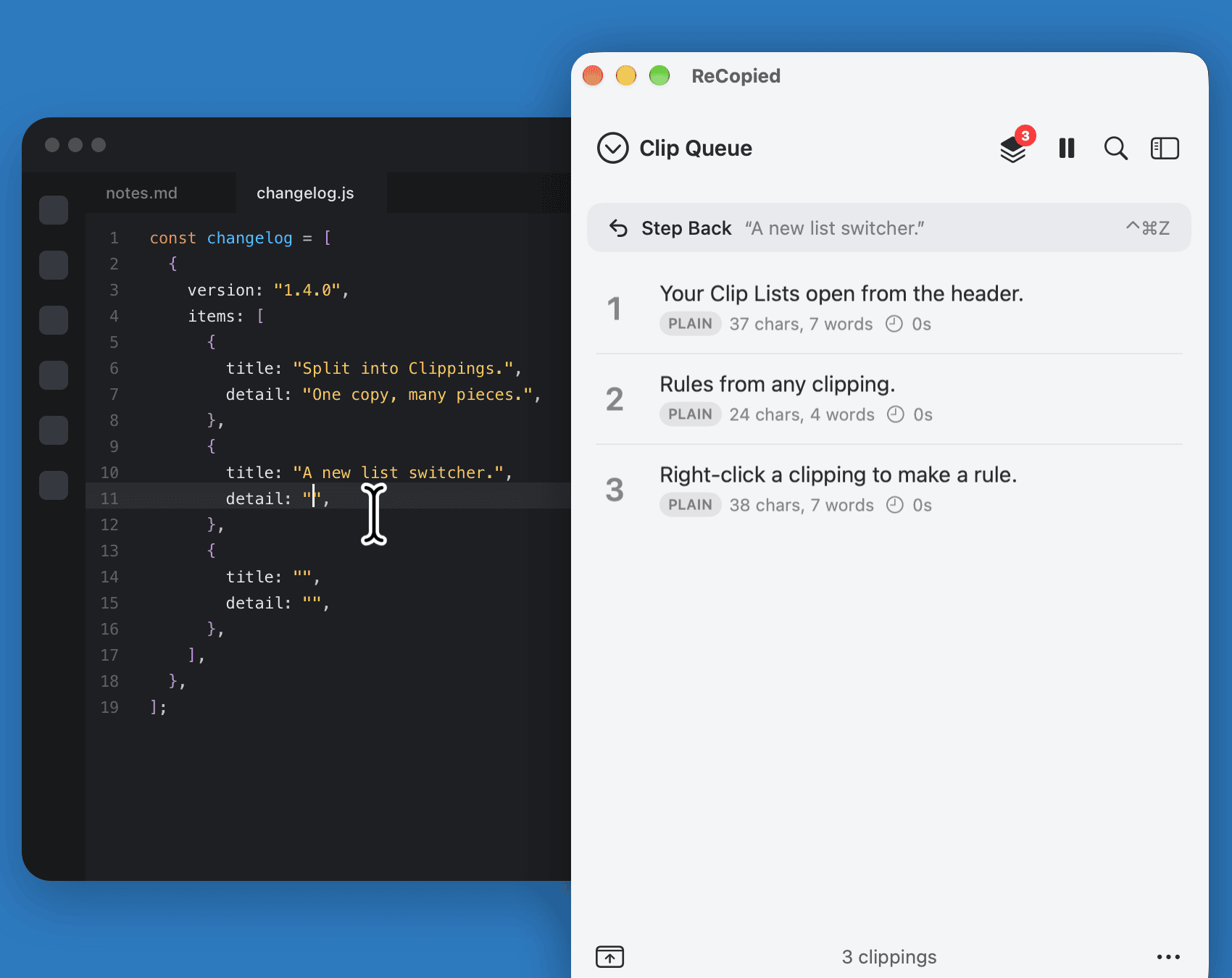
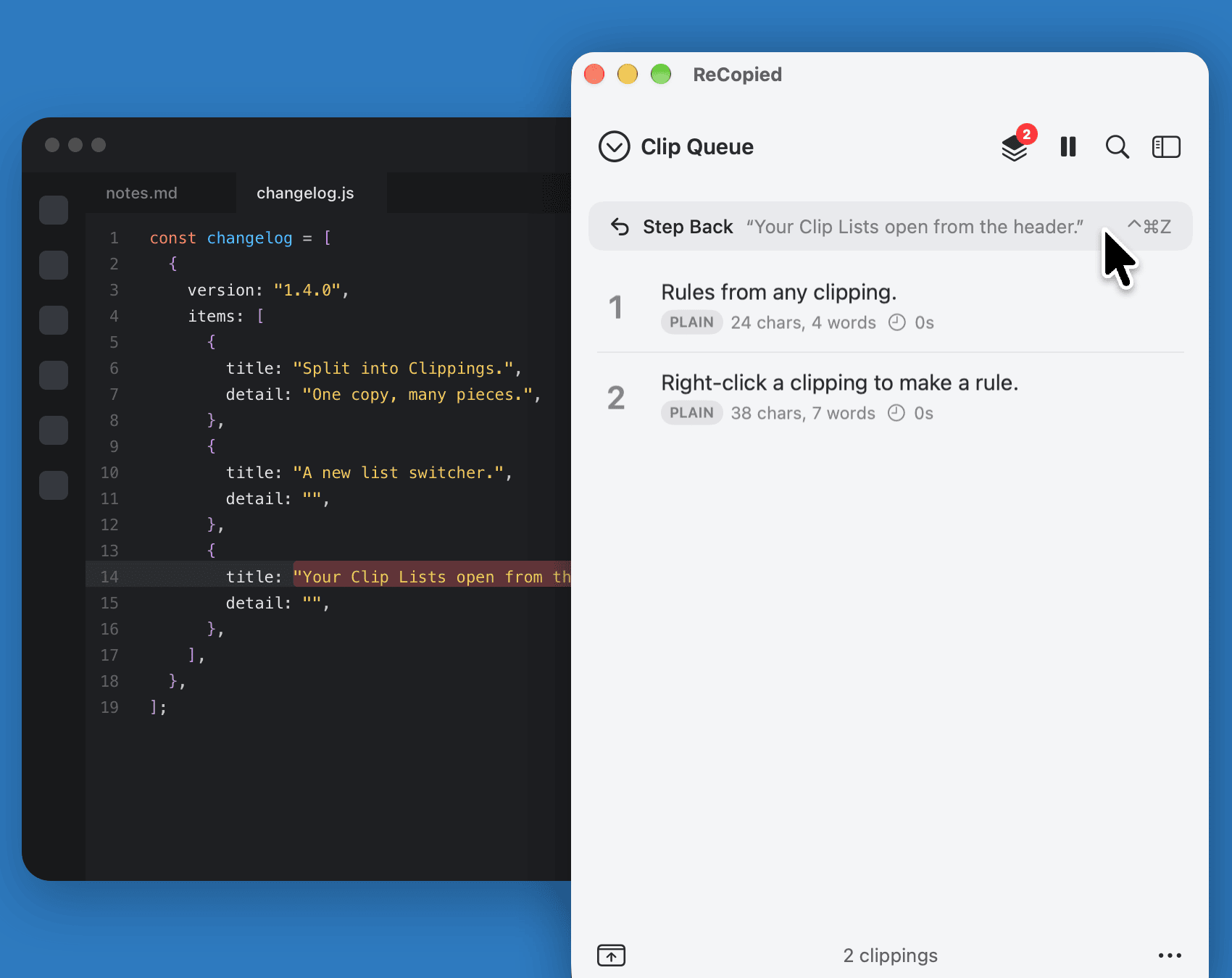
Split one copied block into clippings, line them up in the Clip Queue, and paste them one after another. And Step Back puts a piece back when it lands in the wrong spot.

Automate it

Teach it once. It files the rest.

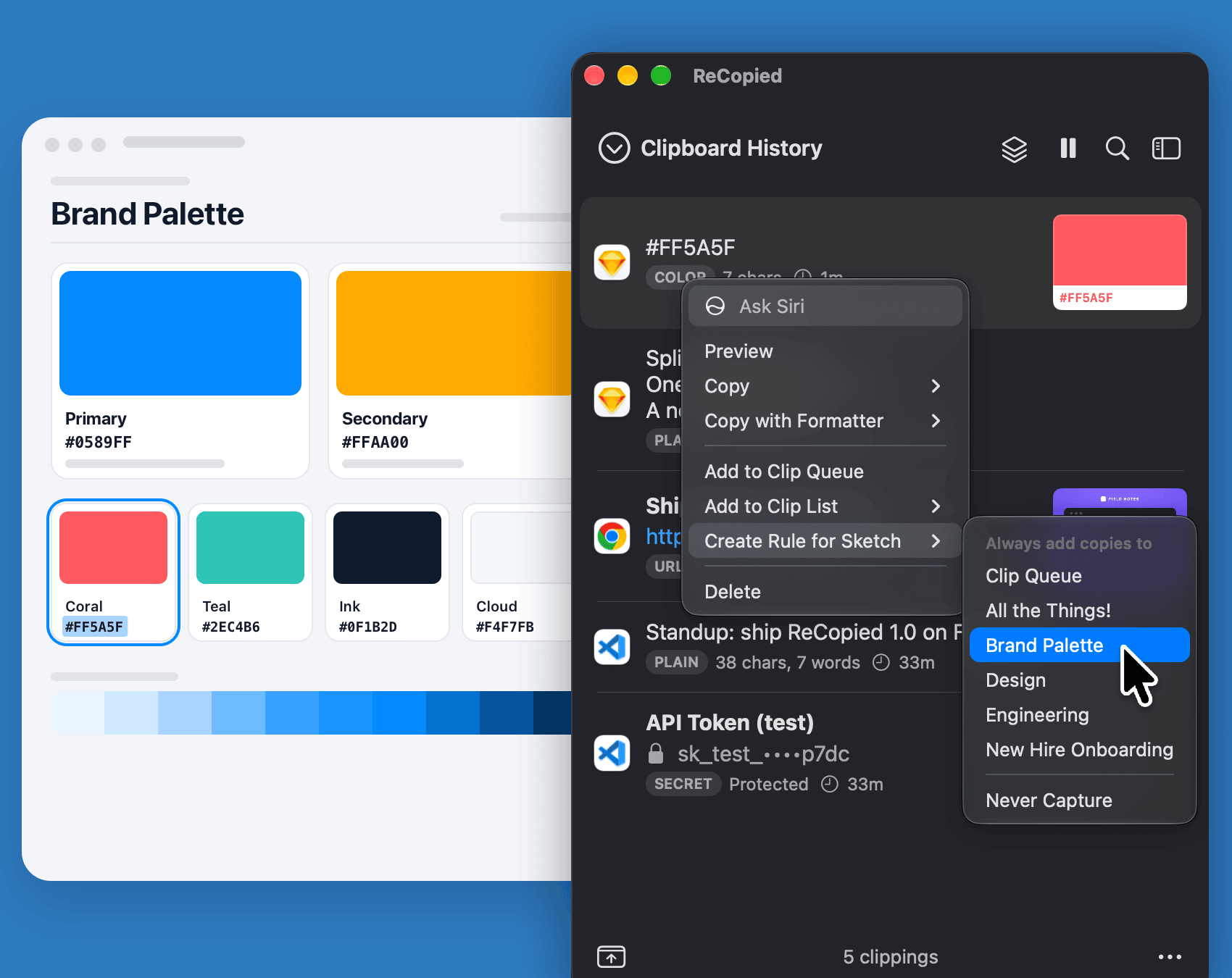
Right-click any clipping to Create a Rule for the app it came from, or match by text pattern or type. Copies land in the right Clip List, go to the queue, or skip history entirely.

Transform it

Copy it. Get it formatted.

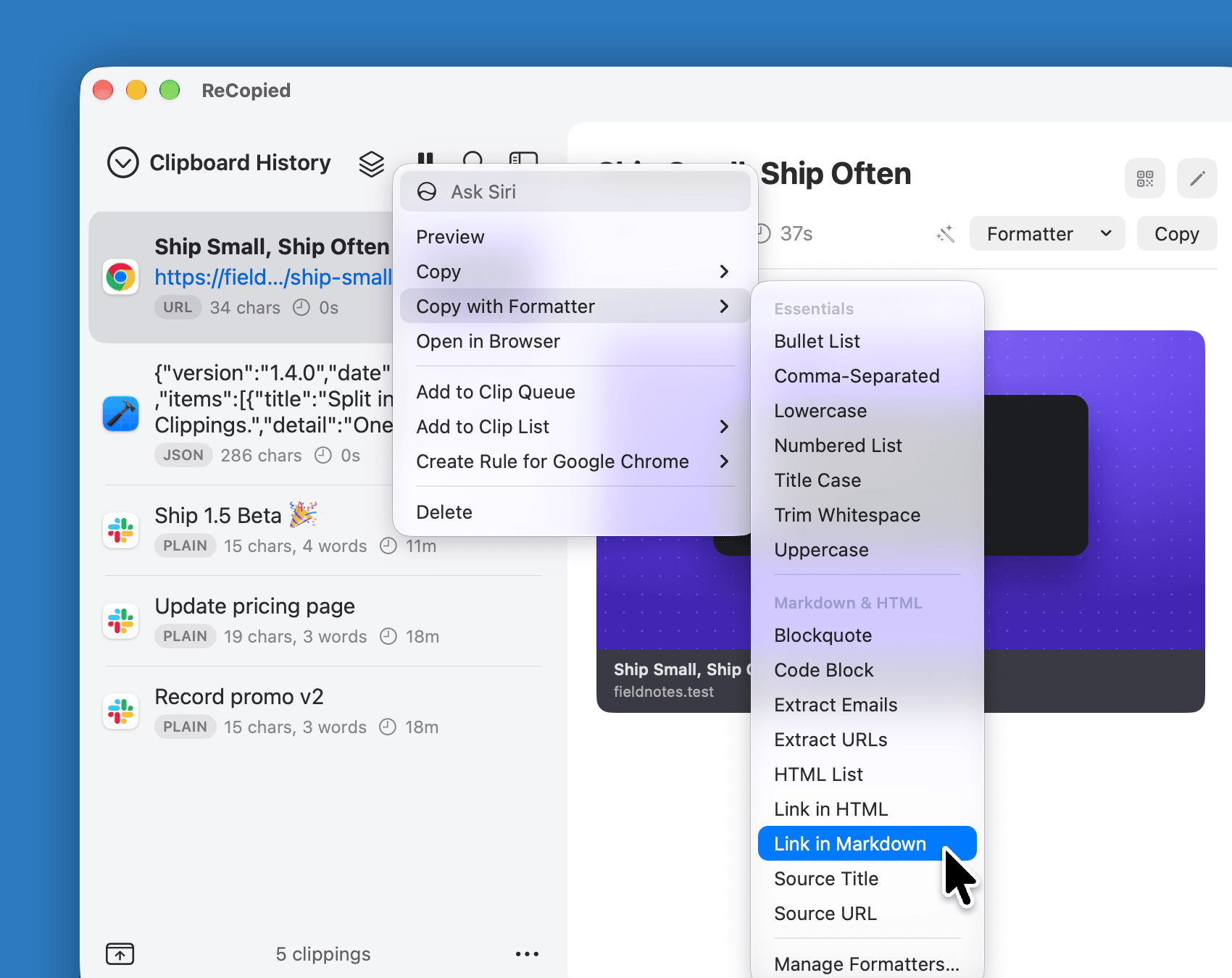
Over 50 built-in formatters clean up text, pretty-print JSON, convert case, encode and decode, or turn lists into Markdown. Merge several clippings into one, with a live preview.

Smarter clippings

Your clipboard, significantly smarter.

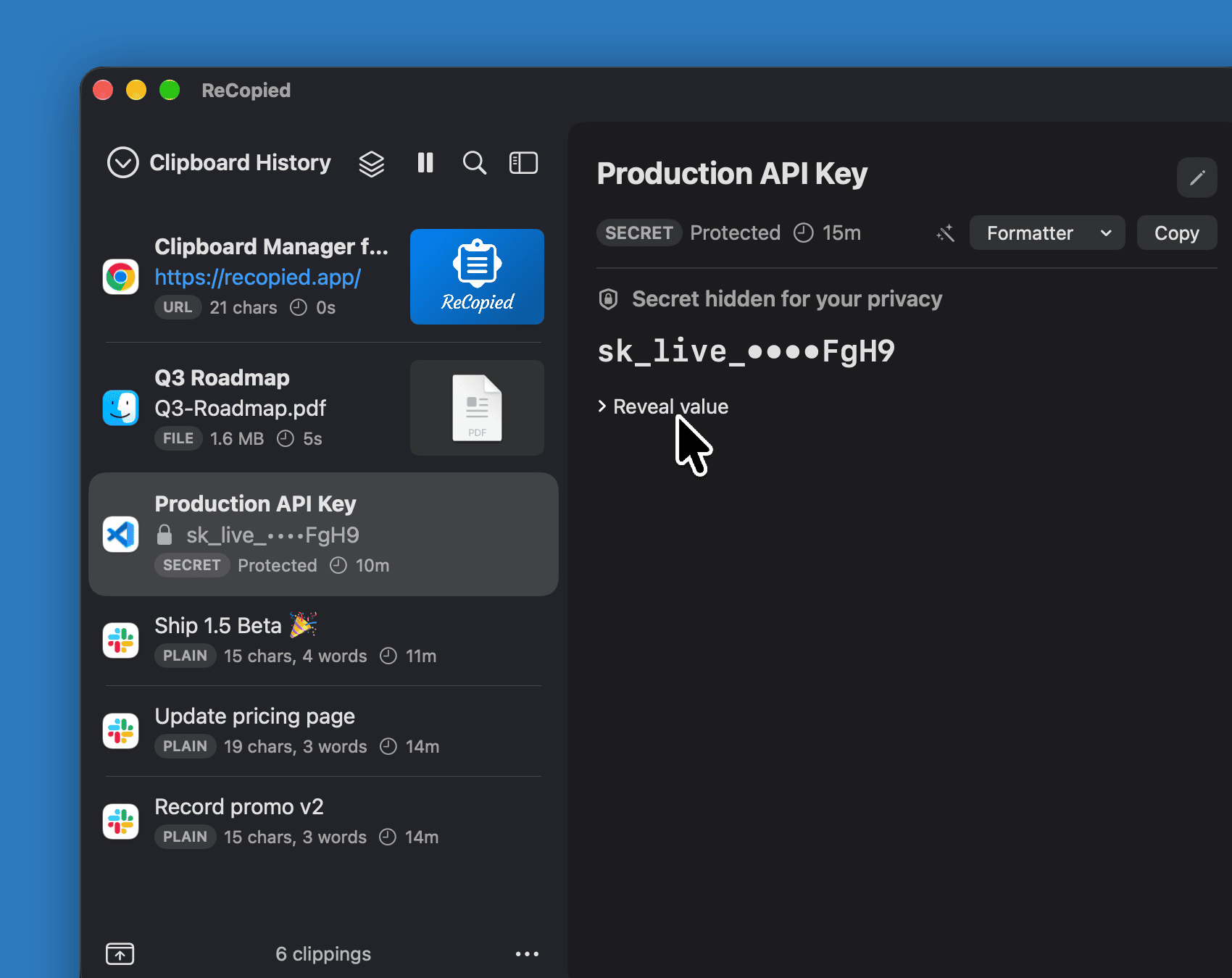
Links become QR codes, files open in any app or show in Finder, timestamps read as dates, and secrets stay masked. All on-device, no extra apps.
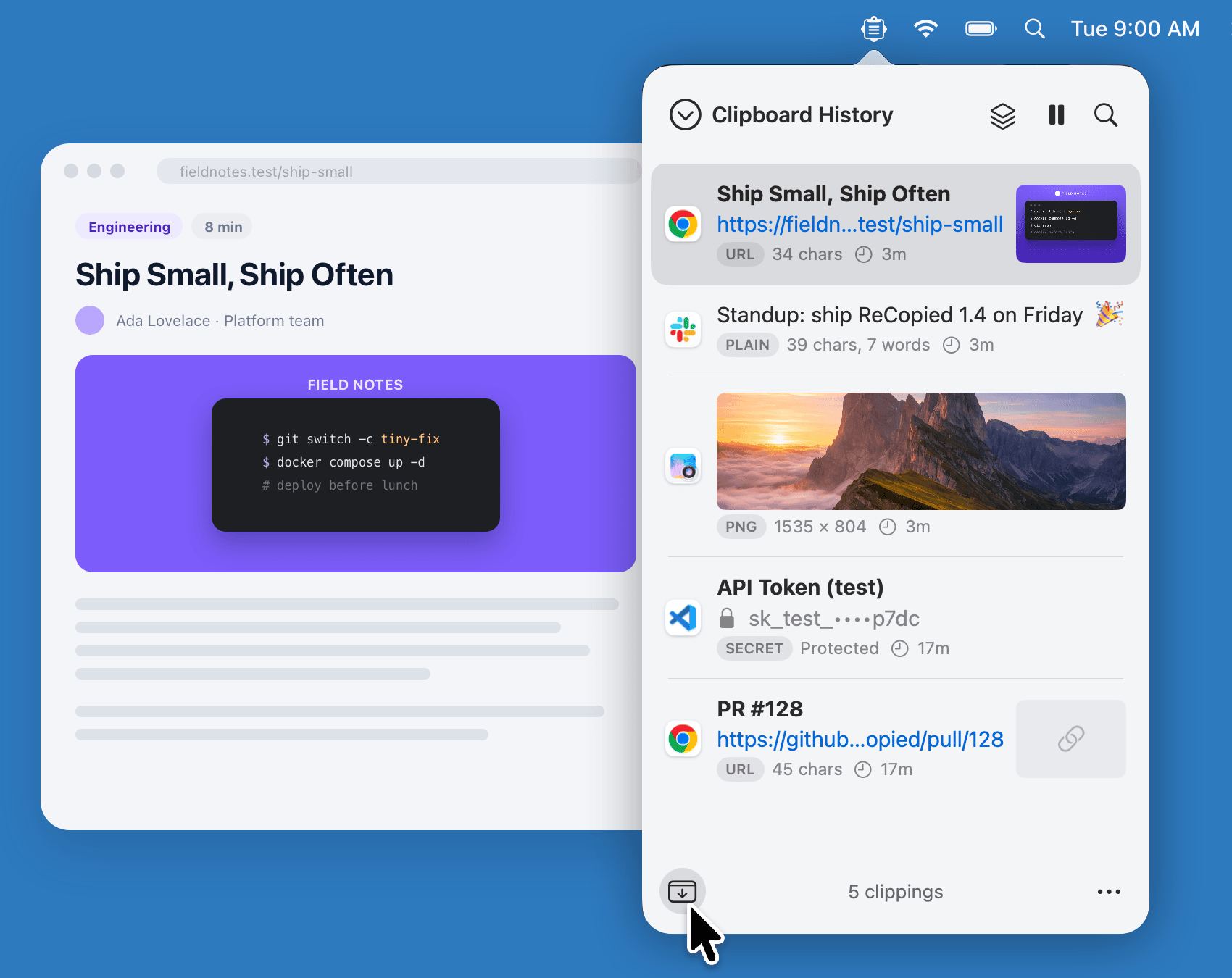
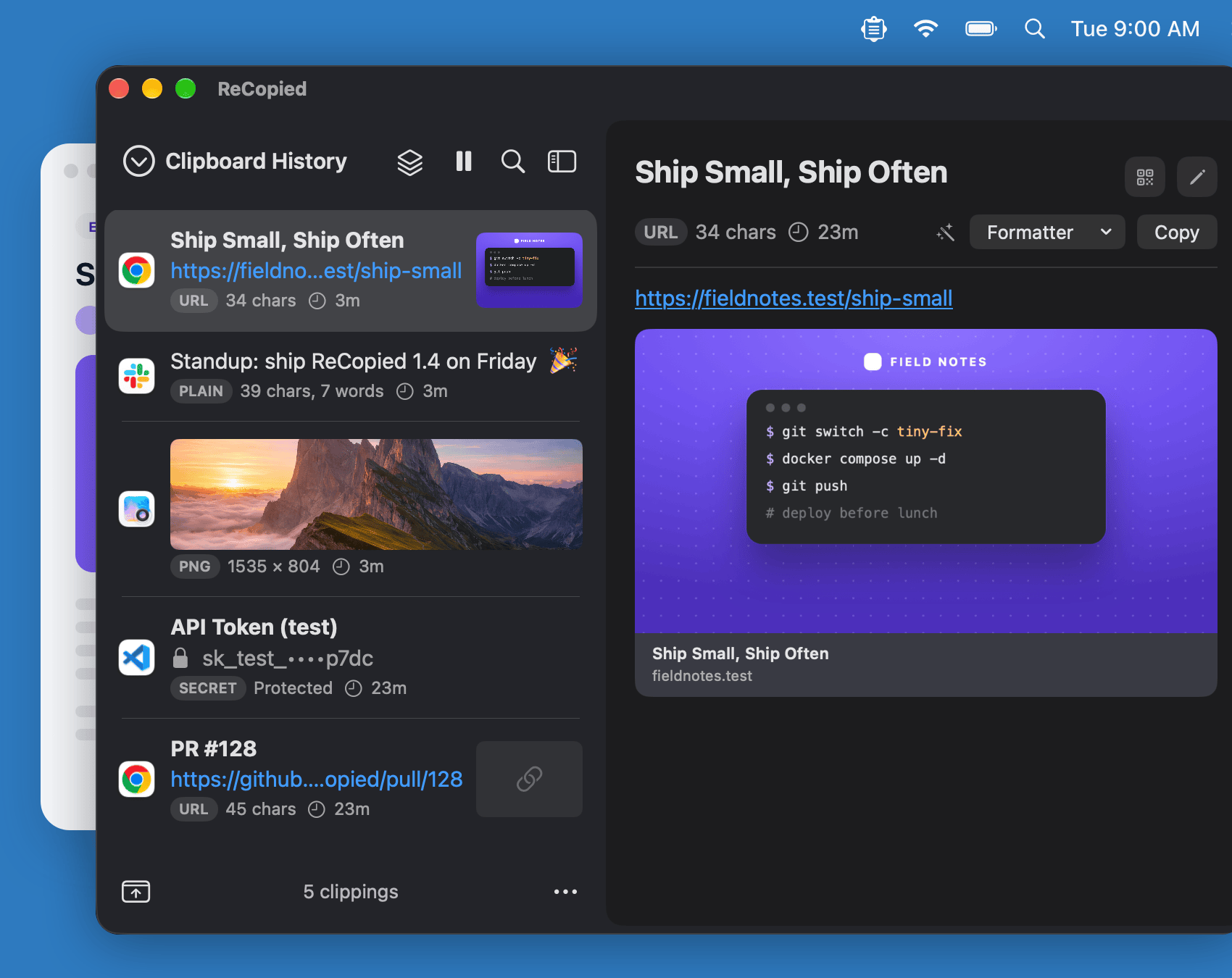
ReCopied's menu-bar popover in light mode over a blog post, showing the post's link with its preview image, a standup note, a photo, a masked API token, and a pull request link.
The same clippings in ReCopied's window, in dark mode, in the same spot as the popover.
ReCopied's window with the detail pane open and Always on Top on, showing the blog post's full link preview, floating over the article.
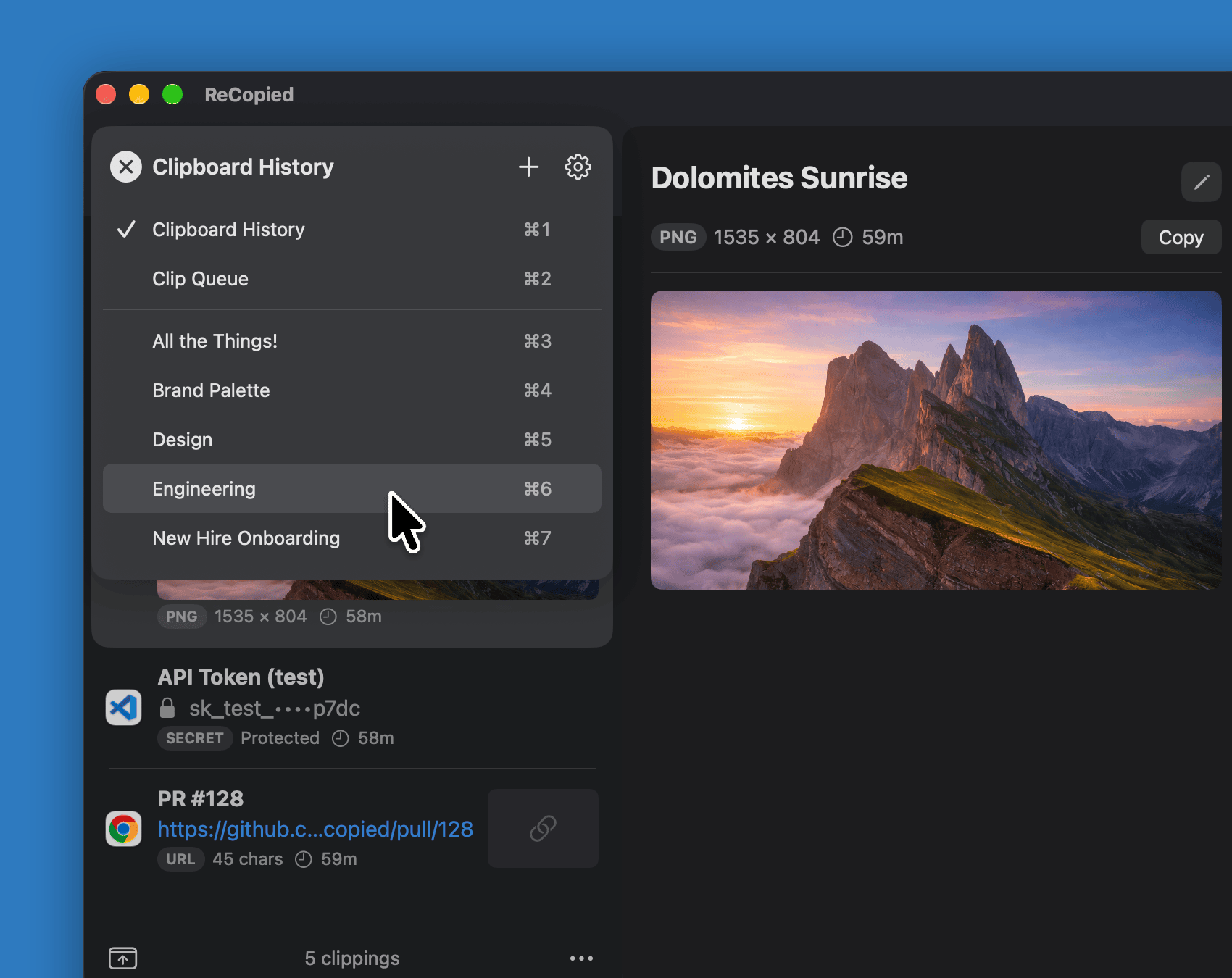
ReCopied's list switcher open over the window, with ⌘1 to ⌘7 shortcuts for Clipboard History, the Clip Queue, and five Clip Lists.
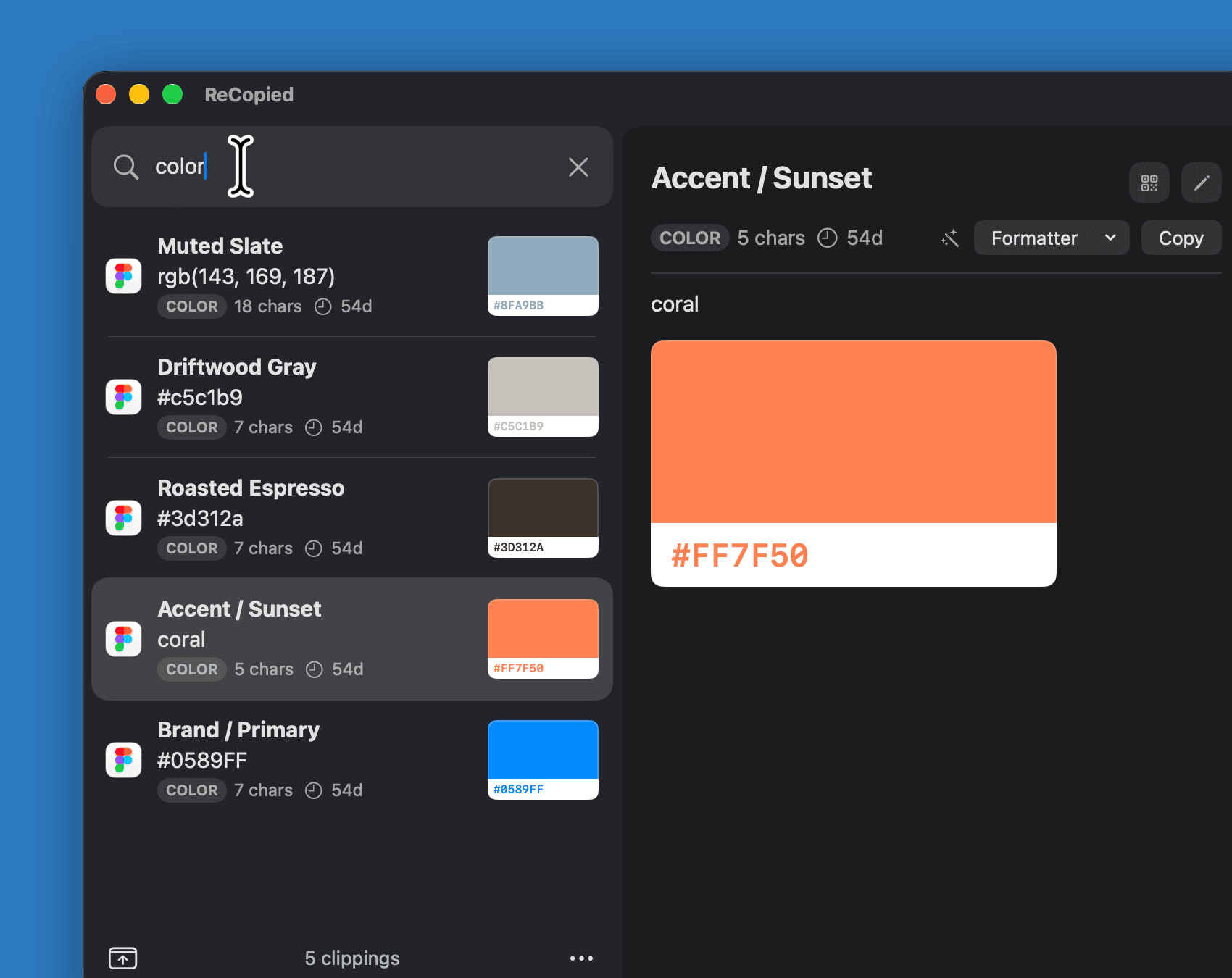
Typing "color" filters the window to color clippings, each with its swatch, with one shown in the detail pane.
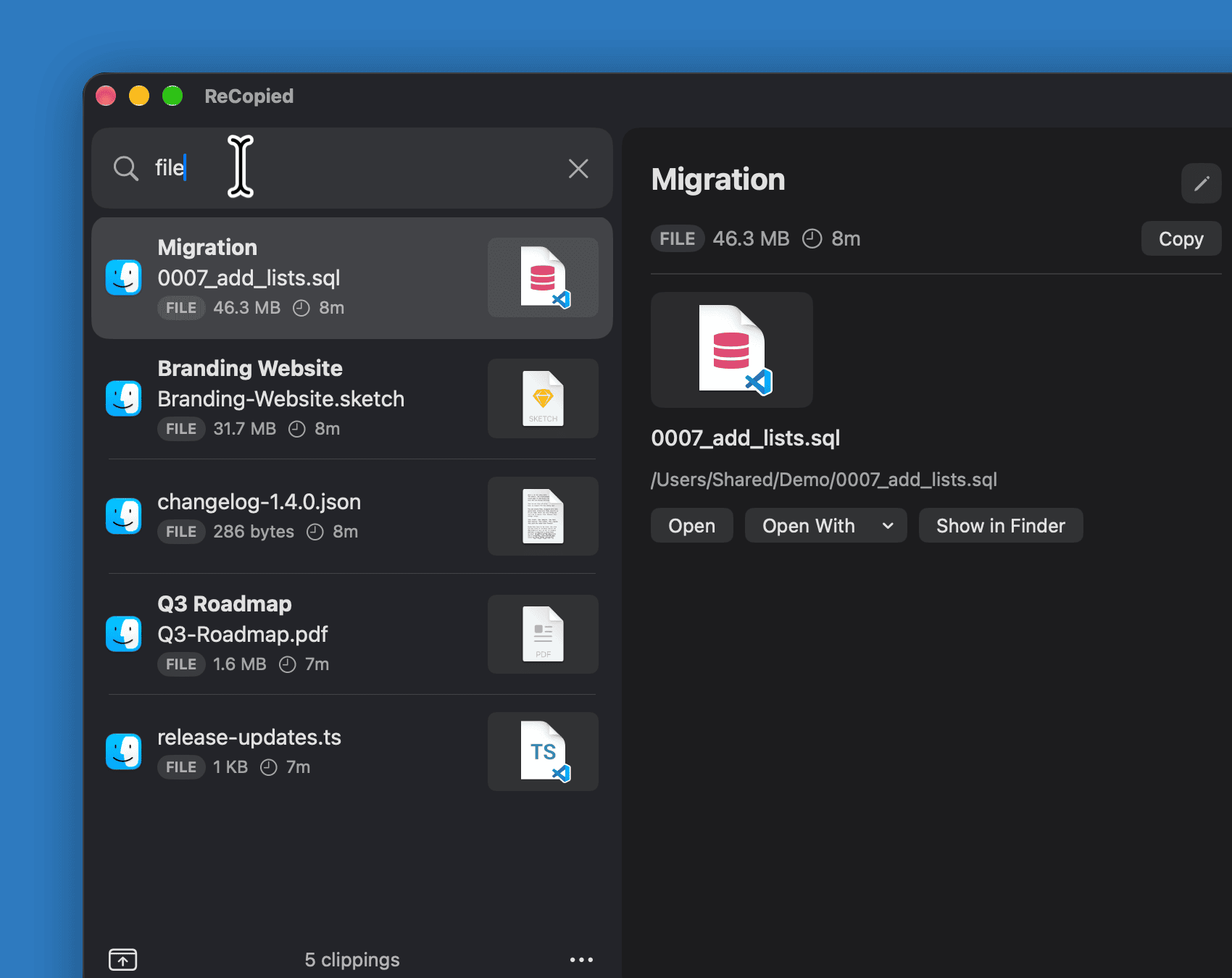
Typing "file" filters to copied files, a PDF and a SQL migration, with the migration's Open With menu listing apps that can open it.
Searching "q3" finds a Q3 roadmap PDF and a planning whiteboard photo. The photo is selected, with its handwriting read out under Text Found and a Copy Text button.
Six lines of release notes copied from a code editor, with Split into Clippings chosen from the new clipping's right-click menu.
The Split Clipping sheet splitting the block on new lines into six numbered pieces, ready to add to the Clip Queue.
The Clip Queue with three pieces left beside a code editor, where the earlier pieces have been pasted into a changelog template one by one.
A piece pasted into the wrong spot in the editor, highlighted in red, and the Step Back bar at the top of the Clip Queue ready to put it back in line.
A color copied from a brand palette in Sketch, and ReCopied's right-click Create Rule for Sketch menu set to always add copies to the Brand Palette list.
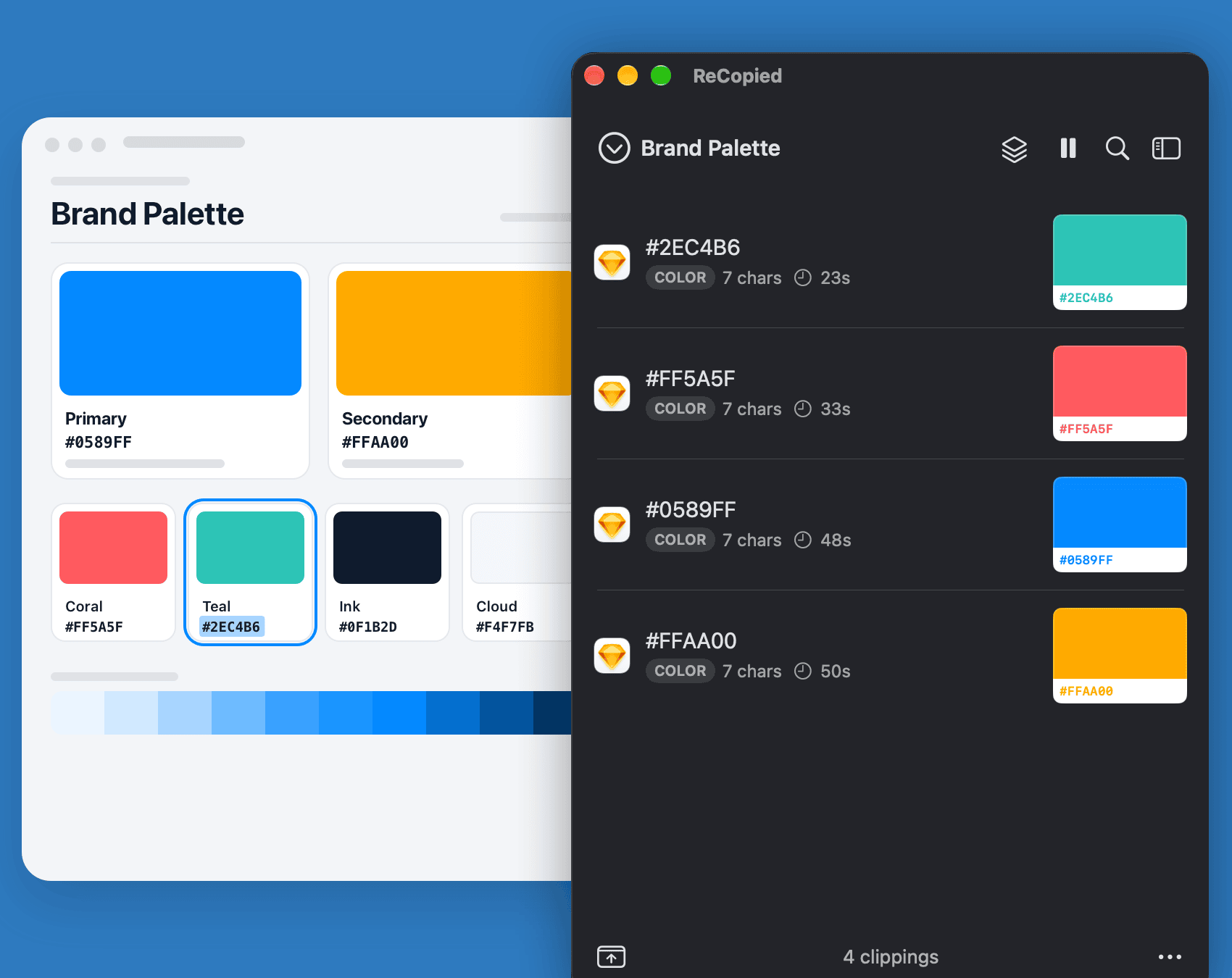
The next color copied from Sketch lands at the top of the Brand Palette list on its own.
A link clipping's right-click menu open to Copy with Formatter, choosing Link in Markdown from the Markdown and HTML formatters.
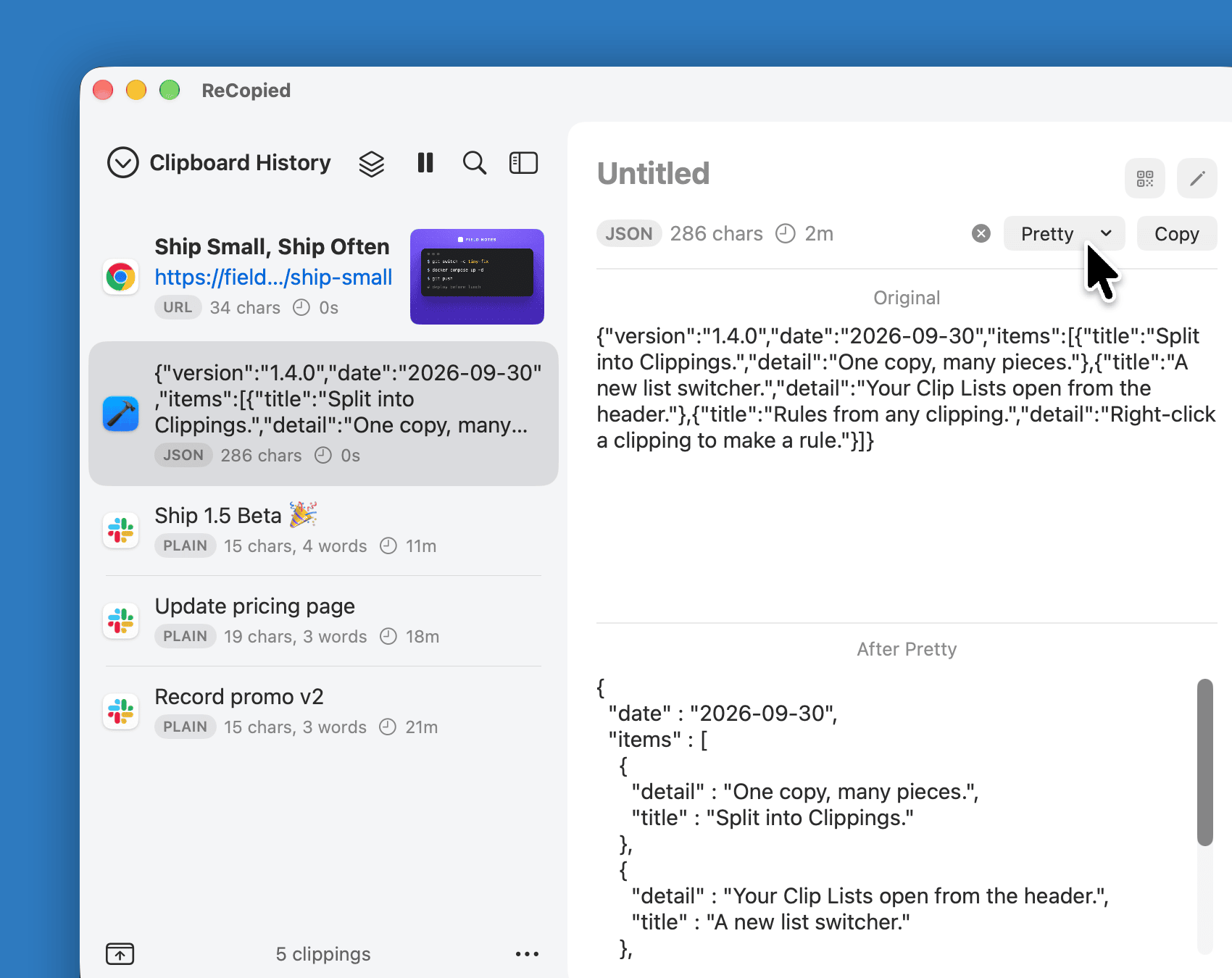
ReCopied's window with a JSON clipping selected: the detail pane shows the original one-line JSON above its pretty-printed version.
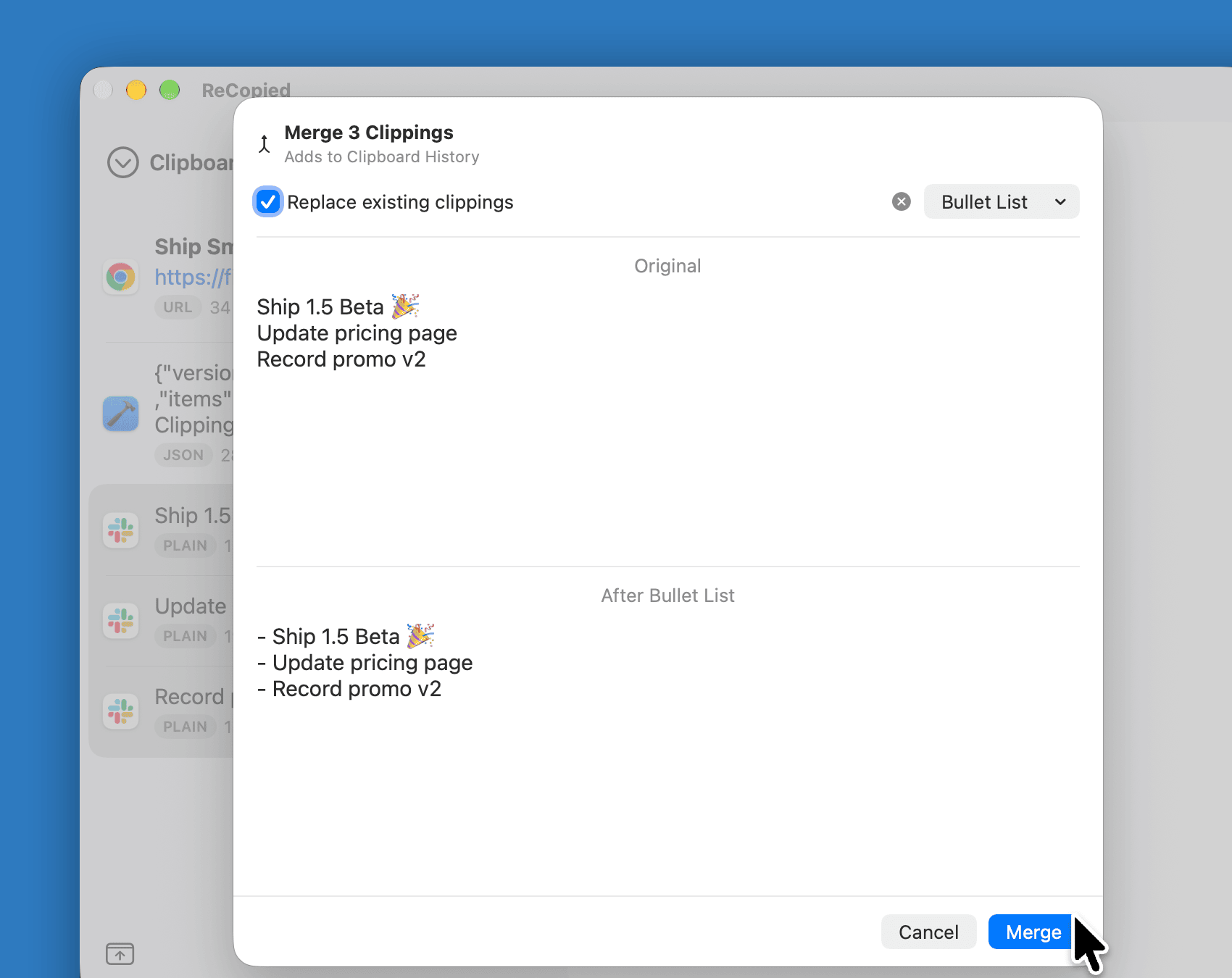
Merging three task clippings into one bulleted list, with the original and the result previewed.
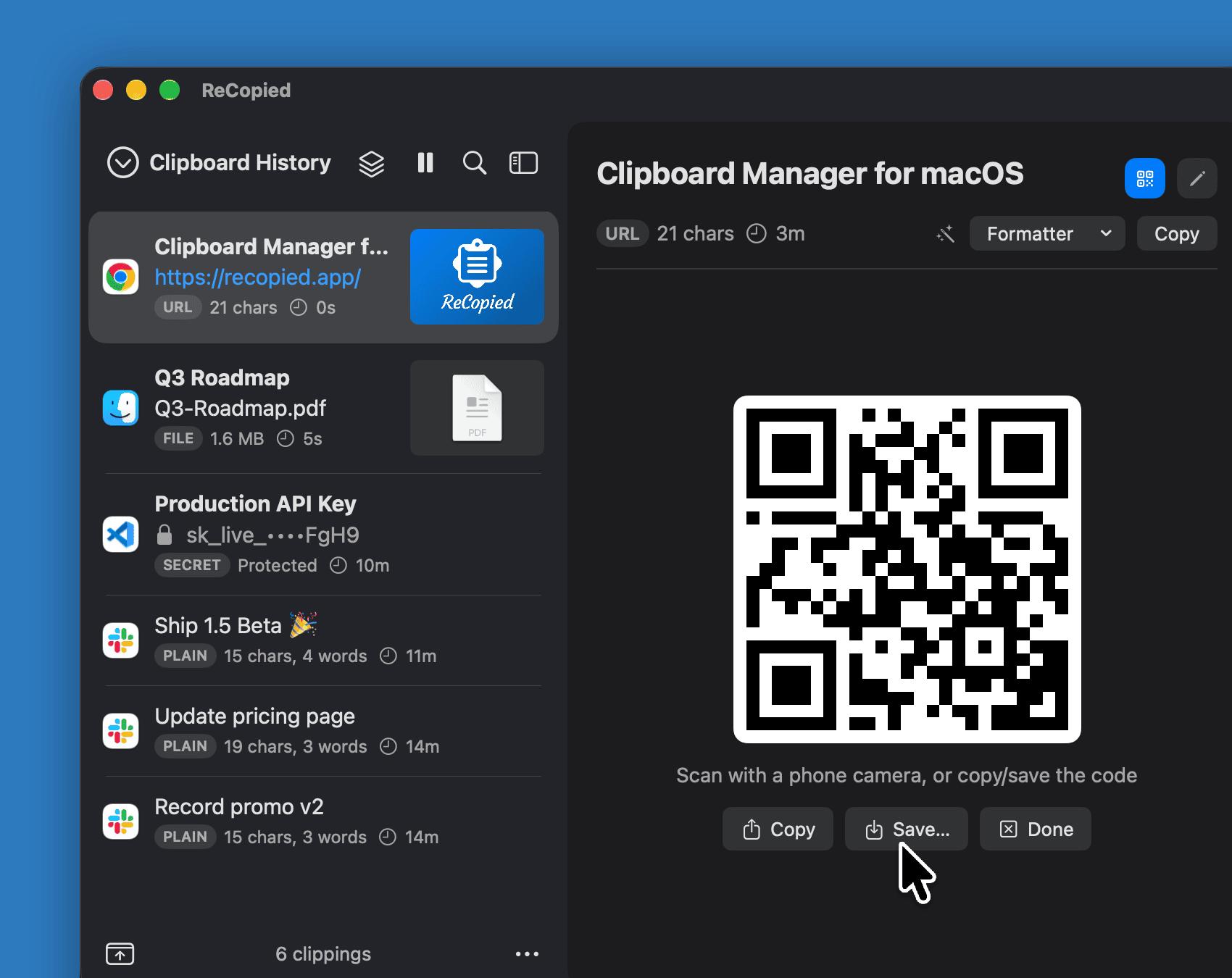
A link clipping's detail pane showing a scannable QR code for recopied.app, with Copy, Save, and Done buttons.
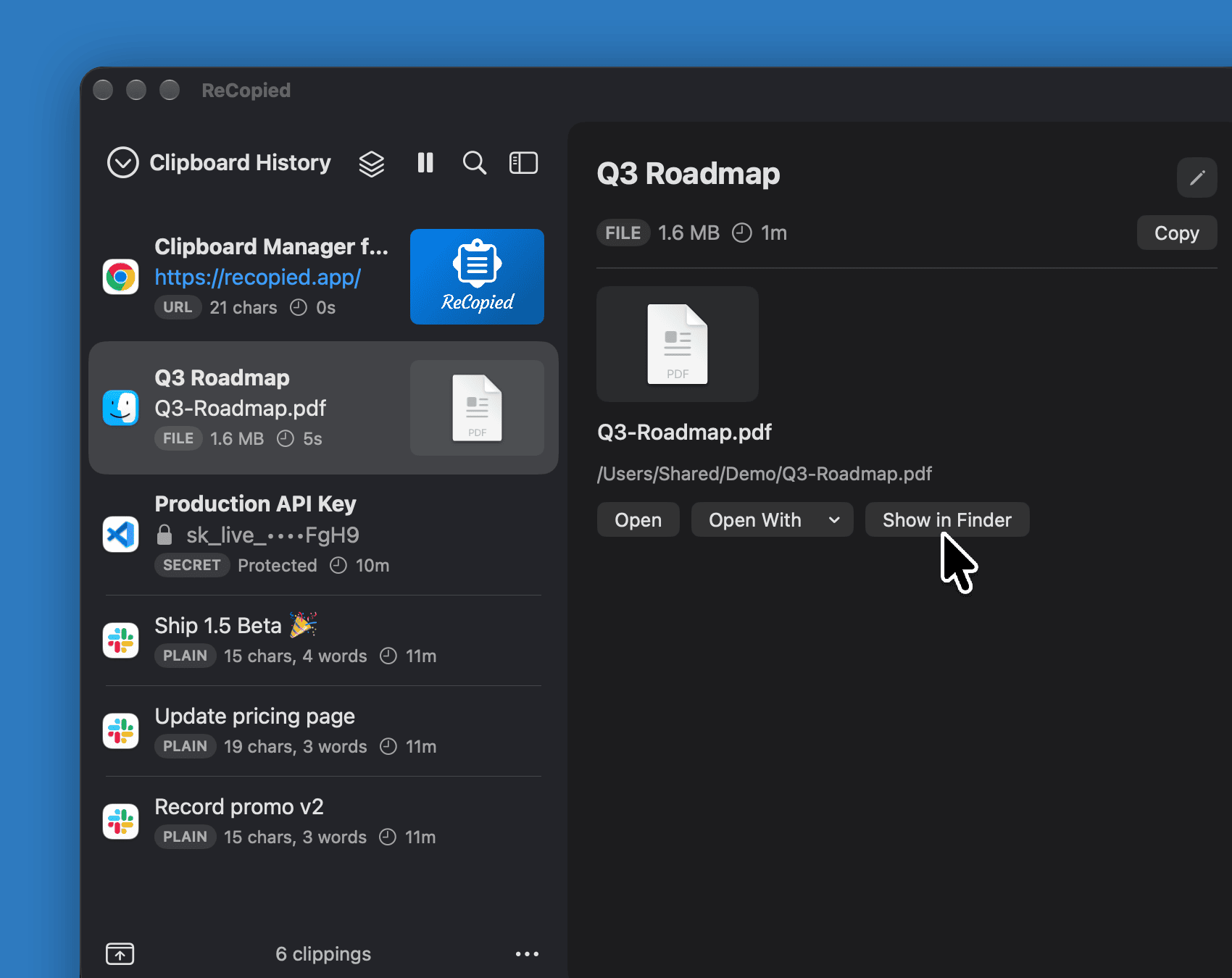
A PDF clipping's detail pane with its file path and Open, Open With, and Show in Finder buttons.
A production API key masked in the list and in the detail pane, with a Reveal value control.

1Menu Bar View

And more

  • Paste into any app
  • Drag and drop
  • Global hotkeys
  • Plain-text mode
  • Instant preview
  • Edit and rename
  • Undo delete
  • Pause capture
  • iCloud sync
  • Rich URL previews
  • Always on top
  • Themes & sizing

Why ReCopied

Fits your workflow

Menu or window, tuned to how you work. Never prescriptive.

Power made simple

Everything is easy to find and understand, not buried in menus.

Handles every clip

Text, images, files, links, colors, and code, each done right.

Yours to keep

One price. No subscription, no sign-up, local by default.

Private by design.

Your clipboard history never leaves your Mac. ReCopied is 100% local by default, with no account to create, no analytics, and no tracking. Want your snippets on another Mac? Turn on iCloud sync for your Clip Lists, Formatters, and Rules, through your own iCloud, never our servers. Passwords and other sensitive copies are ignored automatically, and anything that looks like a payment card or API key is masked, so secrets never land in your history or get shoulder-surfed.

How ReCopied is different

Feature ReCopied Typical subscription app
Pricing One-time purchase Monthly / yearly
Account No account to create Usually required
Where data lives On your Mac (iCloud sync optional) Their cloud
Interface Menu bar or movable window One fixed layout
Capture rules Route or ignore, by app, text, or type Often exclude-only
Formatters, merge & split Built in Limited

One price. Yours to keep.

$ 9 .99

one-time

Download on the Mac App Store
  • macOS 15 or later
  • Apple Silicon and Intel
  • No subscription, no account to create
  • All power-user features included